
Aion 2 soft aim: keys, FOV and exclusions
Understand the listed soft aim controls, visibility check and faction exclusions before evaluating an Aion 2 aim configuration.
Understand each control before selecting values
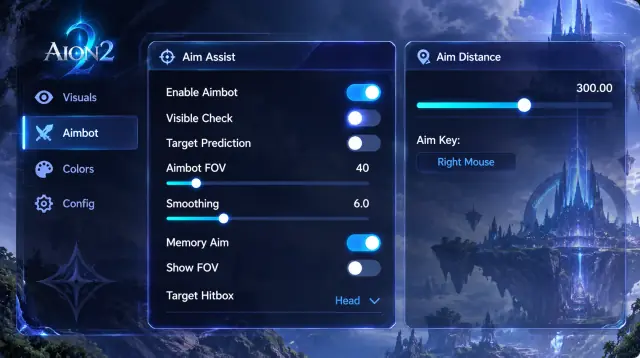
Our Aion 2 Cheats product includes an aim key, FOV, smoothness and a choice of head, chest or closest bone. These controls change how aim assist selects and follows a target. Their names do not guarantee hits or provide a preset that suits every situation.
FOV sets the selection area. Smoothness changes how the aim adjusts, while bone selection sets a target preference. Maximum aim distance adds a separate range limit. Screenshot values show one configuration and may not suit another game build or situation.
Check selection conditions and saved profiles
Visible check, ignore friendly faction and ignore same party or alliance are distinct listed options. Draw FOV and draw target line provide visual references. The flight and faction guide separates those selection conditions from the faction and flying-state labels drawn by ESP.
Config save and load can keep your chosen controls together. Confirm the current menu after an update before treating an old profile as current. Use the client and patch checklist to prepare a precise question if controls or overlays behave differently. We do not publish an untested safe preset or claim a targeting setting prevents account penalties.
For an archived question on this topic, read the original discussion. Archived claims do not establish current compatibility or functionality.
Review features and requirements
Check the available aim controls before applying a saved profile.