
Aion 2 ESP and radar: choose the information you need
Compare player labels, faction information and the 2D radar before choosing an Aion 2 overlay configuration.
Separate identity from position
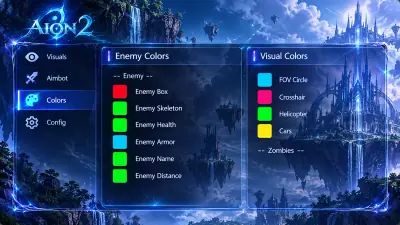
Player ESP puts identifying information in the game view: name, health, class, level, faction and distance. The listed box and skeleton options add a visual reference around a player. Our Aion 2 Cheats feature list shows the included fields so you can compare the display with the information you need.
The 2D radar shows player, boss and resource markers on a separate map. Range, zoom and faction colors help you adjust that view. A map marker shows position. Names and class labels remain part of player ESP, so check whether you need both displays.
Use range and marker groups deliberately
ESP distance and radar range are separate settings. Values shown in a screenshot belong to that particular configuration. They are not recommended defaults or guaranteed detection ranges. Start with the labels you need and leave out the ones that make the screen harder to read.
For targets above or below the camera, continue with flight state and faction markers. For ore, herbs and PvE objects, use the gathering and boss ESP guide. Those guides explain information specific to each category without assuming the radar displays every possible object.
For an archived question on this topic, read the original discussion. Archived claims do not establish current compatibility or functionality.
Review features and requirements
Compare the player fields and radar controls on the product page.